


FME 2026.1: Advancing FME Data Integration and Workflow Automation

FME 2026.1 has arrived, and it is designed to help businesses manage their data more easily. This new release focuses on making the software ready for large companies, improving how it connects to the cloud, and giving you more control over your work.
Better Control Over Your Daily Work
One of the most helpful changes in this version is real-time data caching. In the past, you often had to stop a process to see if your data looked correct. Now, you can look at your data while the software is still running. This makes it much easier to find and fix mistakes in long tasks. If a task stops halfway through, FME will even save the data it has already processed so you don’t lose your progress.
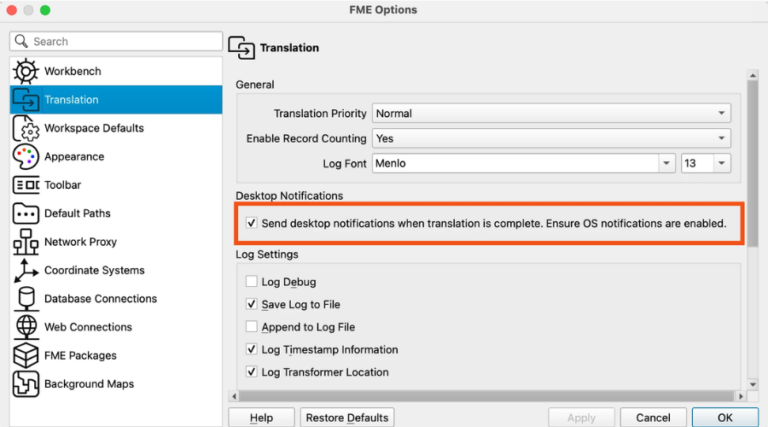
To make your workday smoother, FME can now send notifications to your desktop the moment a task finishes. Tables inside the software now have row numbers, which helps you find specific pieces of information faster. Safe Software have also added a small icon that lets you show or hide your password while you type it, which helps prevent mistakes.
New Ways to Connect and Use AI
FME 2026.1 introduces a new tool called the MCPCaller Transformer. This tool allows FME to use external tools from other systems directly within your workspace. It is a big step toward helping FME work with a growing world of AI-style tools.
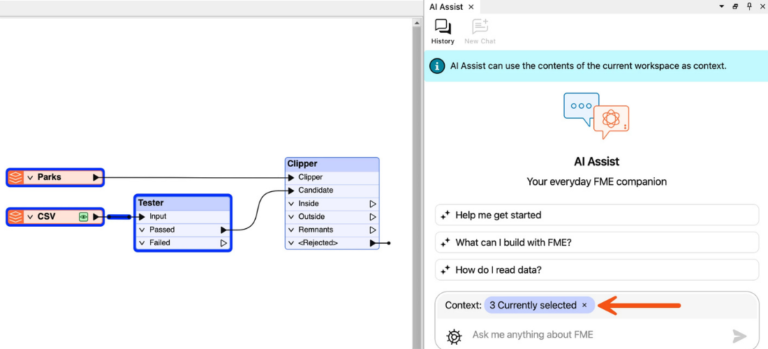
If you use the AI Assist feature, the software now clearly shows you which part of your project is being shared with the AI. This makes the process more transparent and gives you more control over your information. Additionally, a new connection for Microsoft Fabric lets you work with data stored in many different cloud locations while following high security standards.
Supporting Modern Data and Big Projects
For people who work with very large sets of data, Delta Lake is now fully ready for professional use. It works reliably across major cloud platforms like AWS, Azure, and Google Cloud. The Databricks tool also now supports special types of geographic data, making it easier to analyse locations.
They have also improved how FME handles JSON files, which are commonly used for web data. You can now create complex files with many layers of information more easily. If you use a Mac computer, you will find that reading certain database files is now faster and more reliable thanks to a new driver.
Stronger Security and Specialised Tools
Safety is a major focus in this update. FME Flow Apps are now more secure because they use a new method to run that hides sensitive security keys. For those who use Augmented Reality (AR) in the field with FME Realize, Safe have added new joystick and slider controls. These help you move and rotate 3D models with pinpoint accuracy.
Finally, the entire FME platform now supports the newest versions of Linux and Python 3.14. This ensures that your system remains fast, secure, and compatible with the latest technology.
To download the latest version of FME 2026.1 please click HERE.